AASL Standards Portal
Get Started with Standards
PROCESS HIGHLIGHTS
Design challenge and responsibilities overview
Challenge
Capstone Project: tackling a real-world design problem that required balancing user needs with organizational goals.
Opportunity
Collaborated with the American Association of School Librarians (AASL) to redesign their Standards Portal for greater usability and accessibility.
Timeline
Aug 2024 - May 2025
Disciplines
User Experience Research
User Interface Design
Team
Nate Bennett
Feier Su
Maya Sundaresan
Camille Zuidema
Tools
Figma
Figma Jam
Google Docs
The Process
1
Discover
Identify Problem
Research Phase
2
Ideation
Brainstorm Seesion
Mid-Fidelity
3
Final Design
Design System
Making it Great
Final Prototype
4
Evaluation
Impact
Next Step
Discover
Identify Problem
The American Association of School Librarians (AASL) provides resources for school librarians through its Standards Portal. However, the portal is underutilized due to poor navigation, lack of personalization, and insufficient support for different stages of learning and implementation.
This creates challenges for school librarians, who often work in isolation and struggle to effectively learn and adopt the National School Library Standards. As a result, students, educators, and the broader school communities they serve face inconsistencies in educational practices. Addressing these issues is critical to improving librarians' ability to implement the standards and fostering equitable learning opportunities across libraries.
Discover
Research Phase
Our research was grounded in human-centered design principles and aimed to understand how users currently engage with the AASL Standards Portal, what challenges they encounter, and how the portal might better support their workflows.
Observational Studies
Participants (n = 8) completed tasks using the existing portal while we observed their navigation strategies, decision-making, and pain points.
Usability Tests
We tested the existing portal,gather feedback on layout clarity, labeling, navigation, and new content.
Key Insights
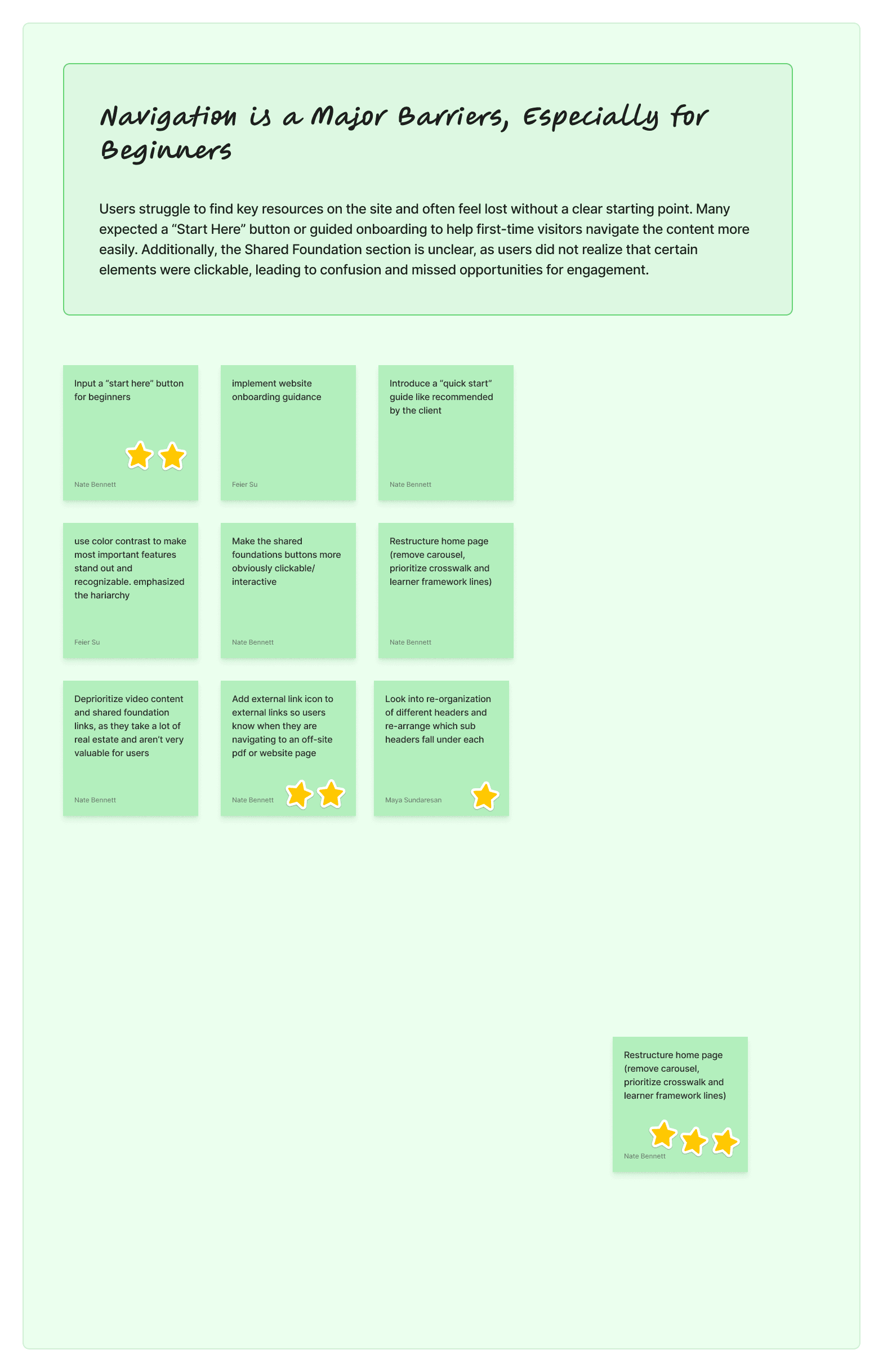
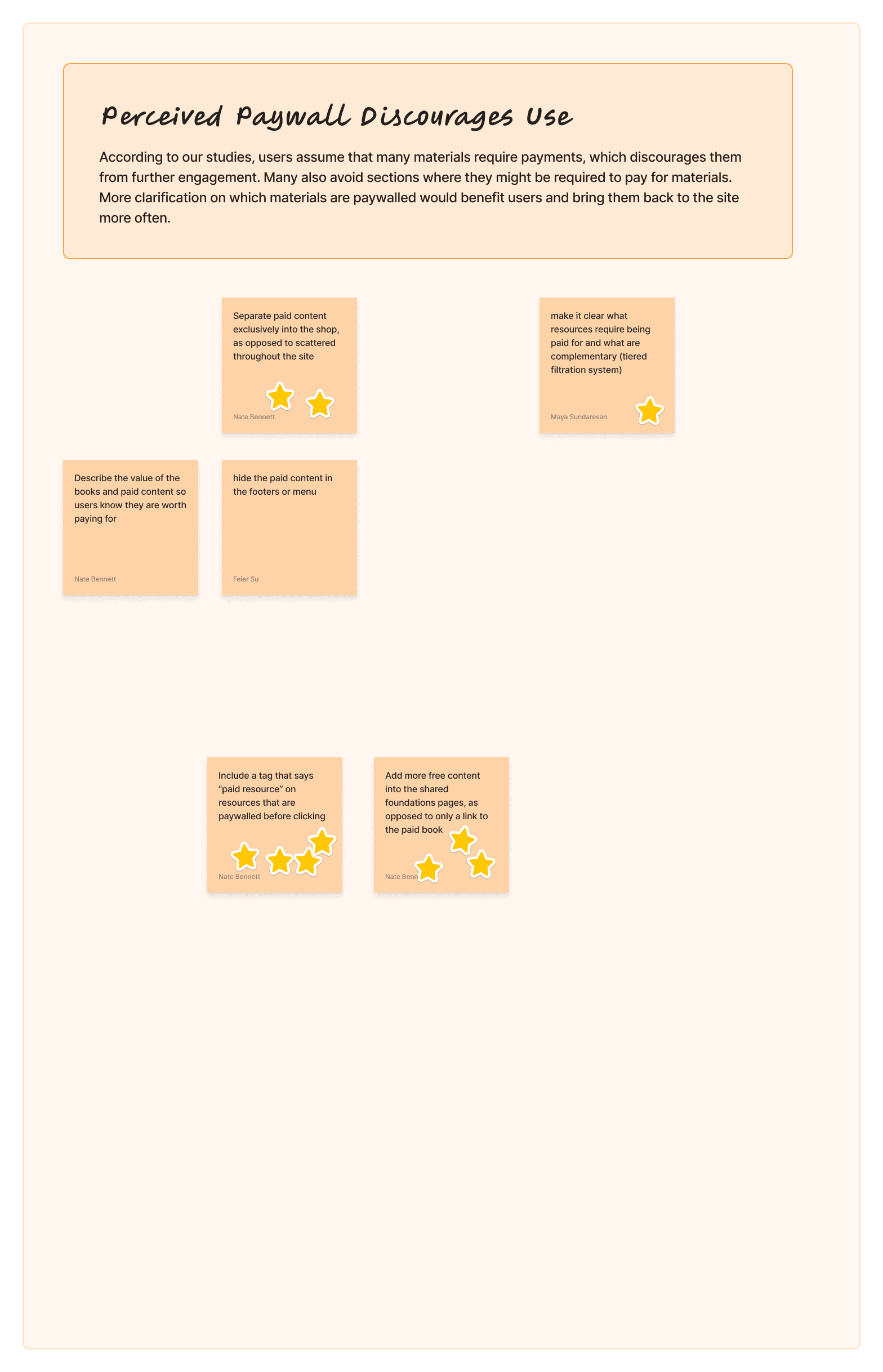
Navigation Barriers for Beginners
“Brand new librarians would expect the full standards to be on the site. It’s frustrating when most links on the site are to paid content” - K-12 Librarian
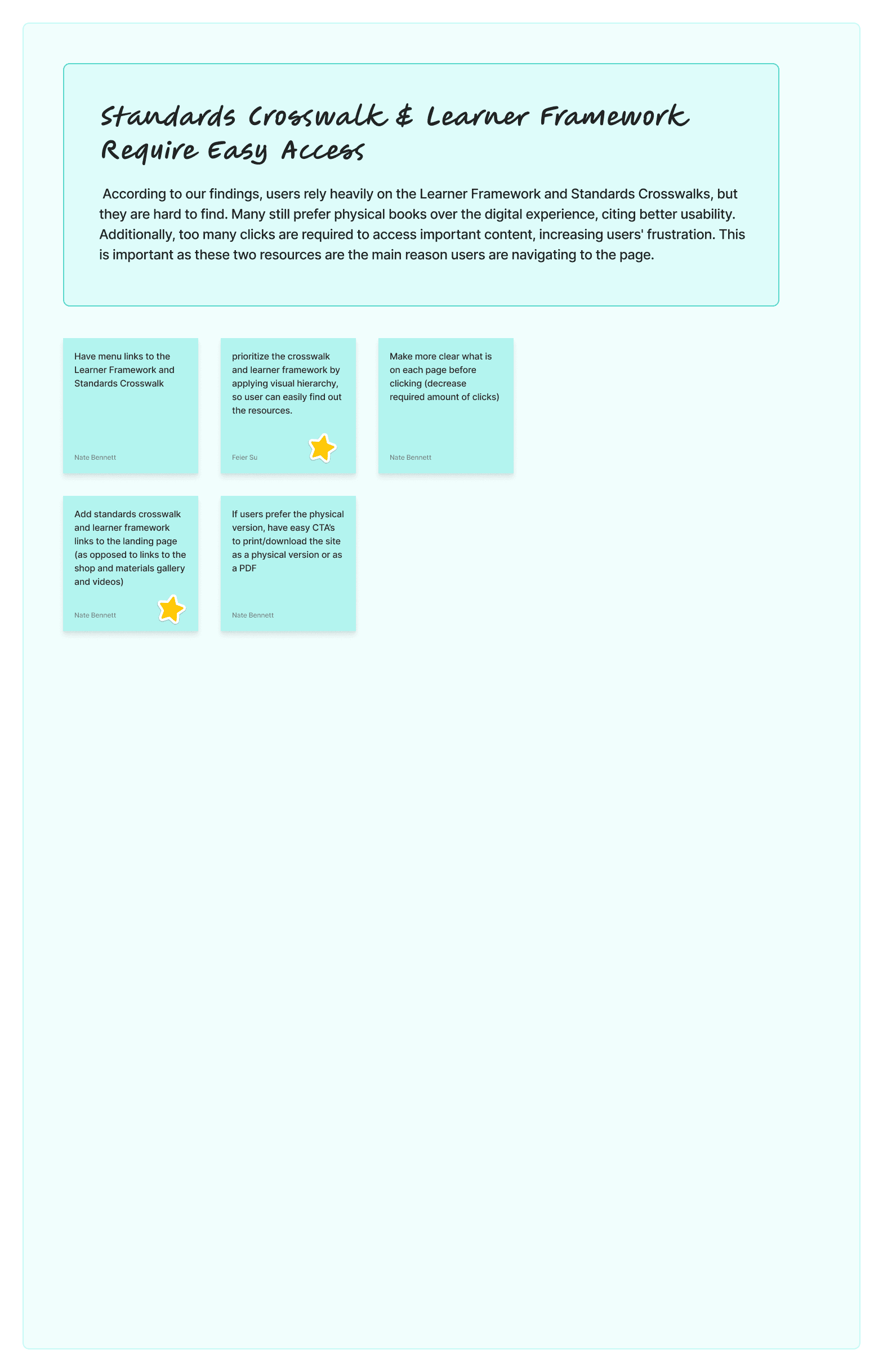
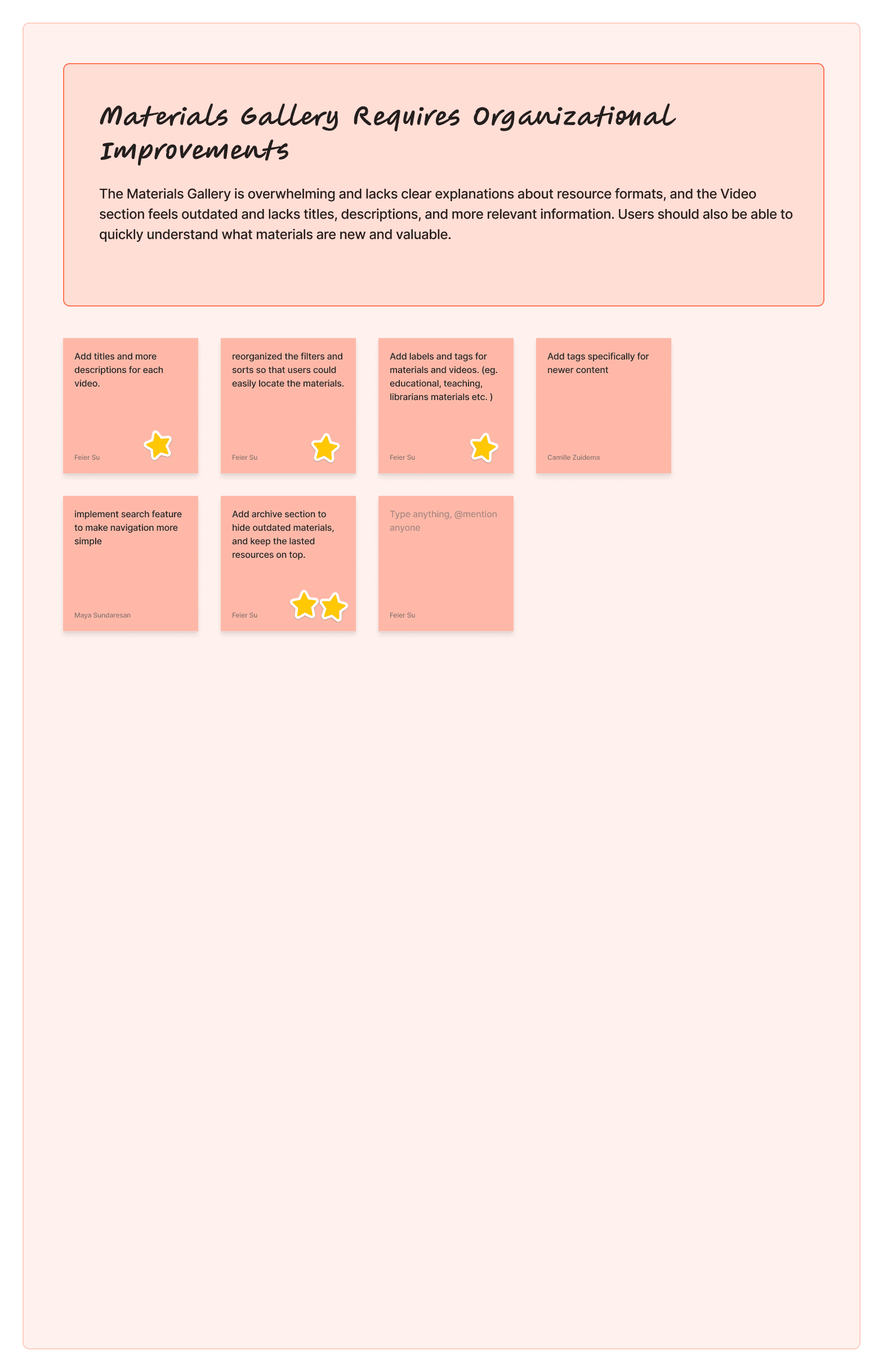
Difficult Access to Standards & Framework
“I prefer physical materials over the Standards portal to find certain resources because they are easy to navigate than the site” - Elementary School Librarian
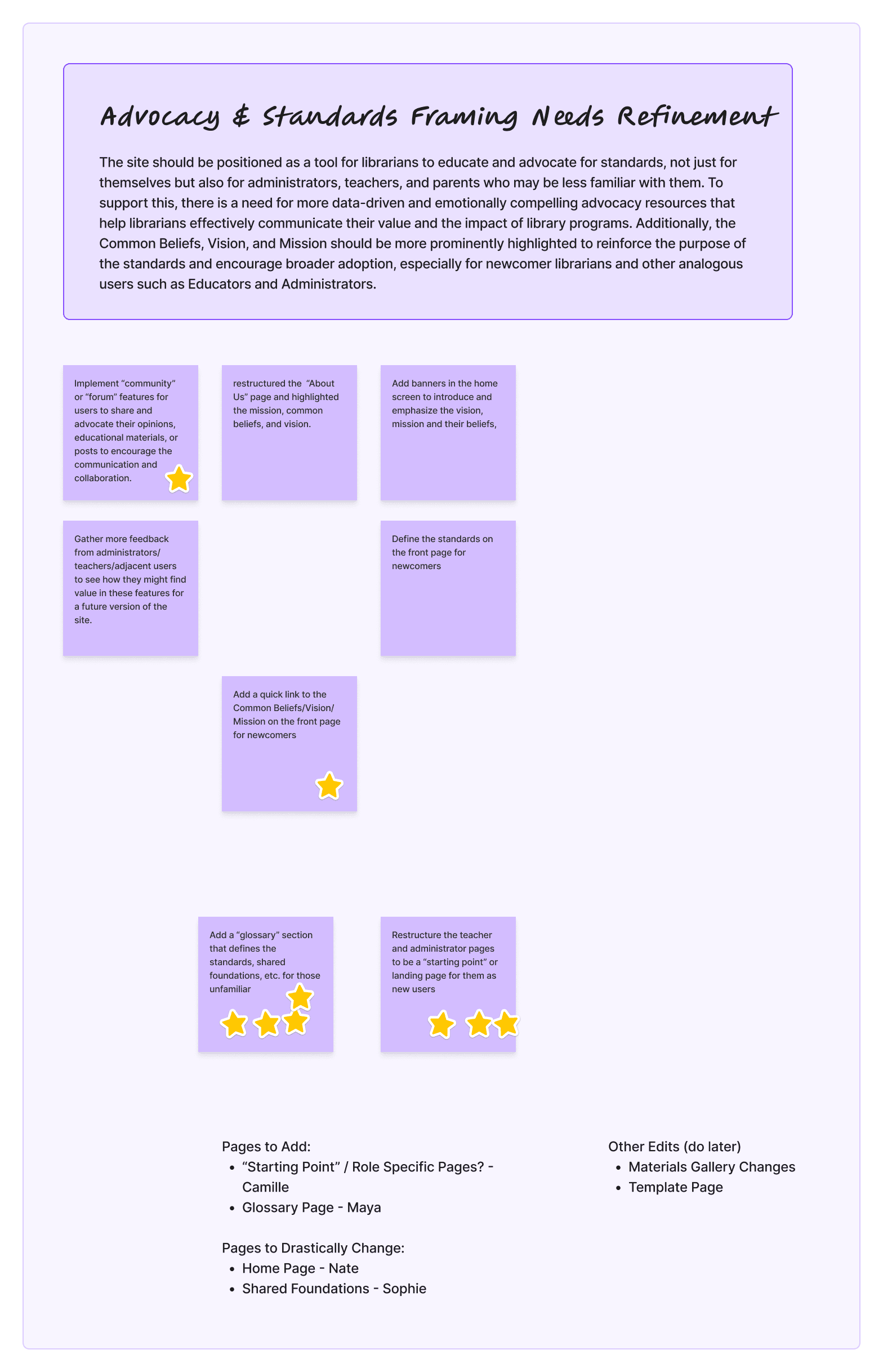
Unclear Advocacy & Standards Positioning
“The Common Beliefs, Vision, and Mission should be more visible — they remind us why the standards matter and would encourage wider adoption.” - AASL Admin
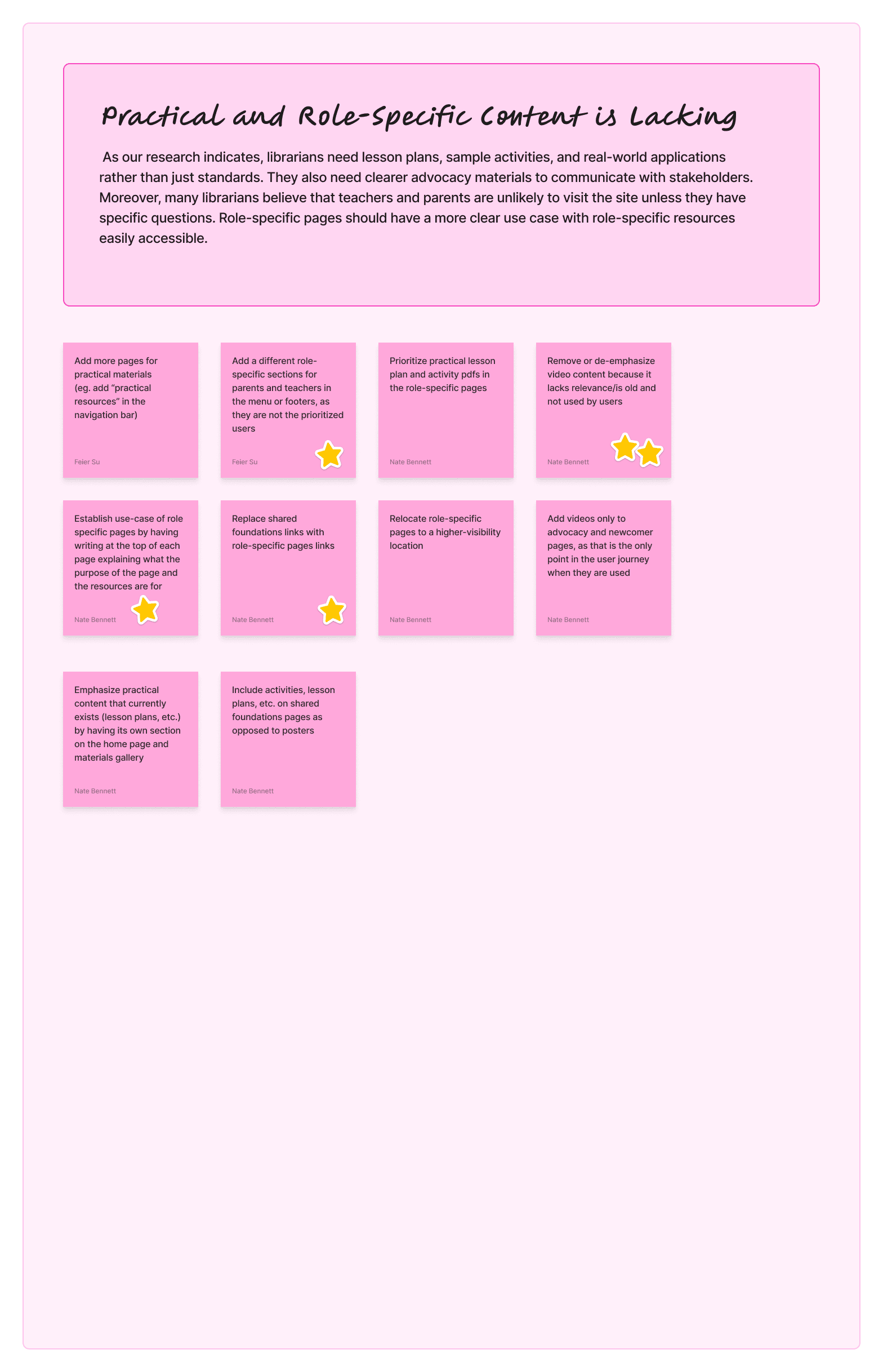
Lack of Role-Specific, Practical Content
“It would be helpful to have resources more clearly labelled for specific roles to make it easier to quickly find what I am looking for” - University Librarian
Turning these key user pain points into targeted Design Artifacts
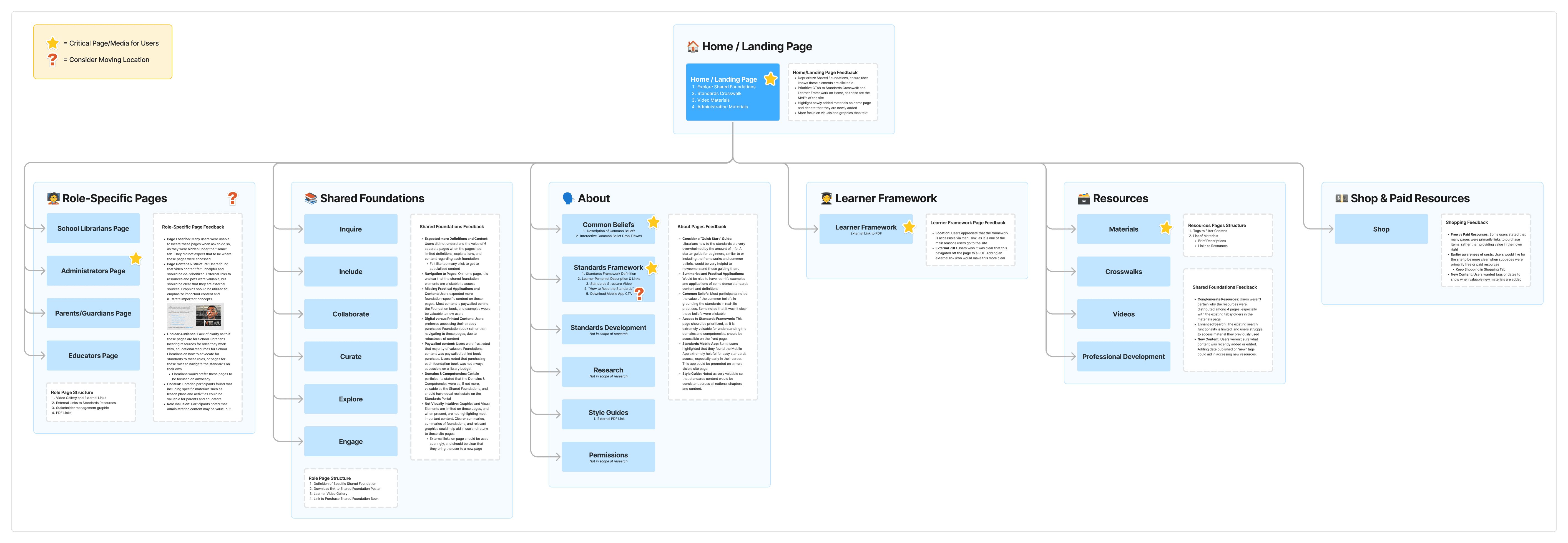
We intend to use the site map in prioritizing our efforts in which pages to redesign, as well as understanding potential Information Architecture changes that may need to be made.

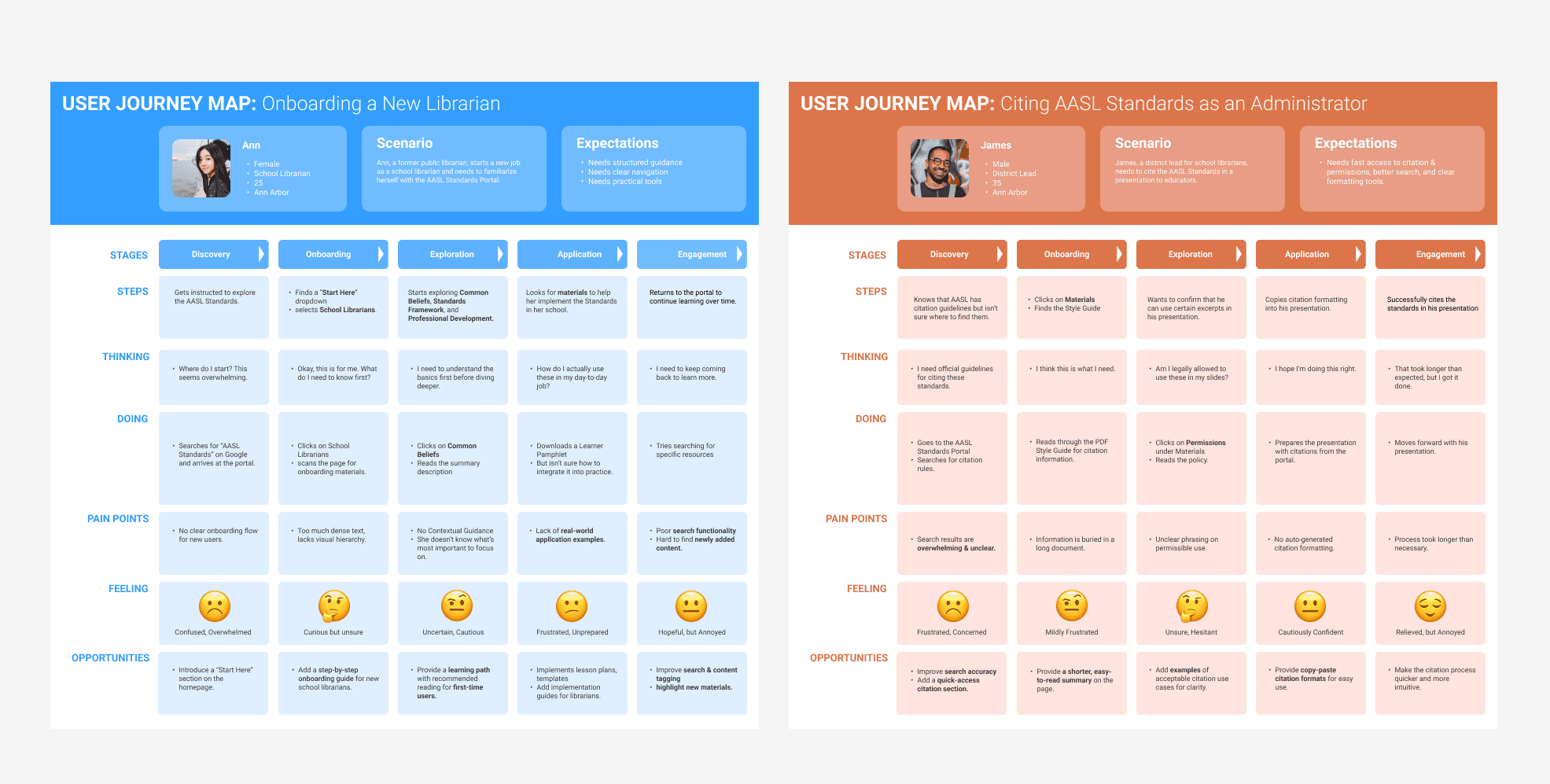
The second design artifact user scenarios and journey, which help us capture the needs and motivations of school librarians and administrators. By grounding our stories in research insights, we can prioritize which user flows to investigate and optimize in the redesign.

From Artifacts to Opportunities
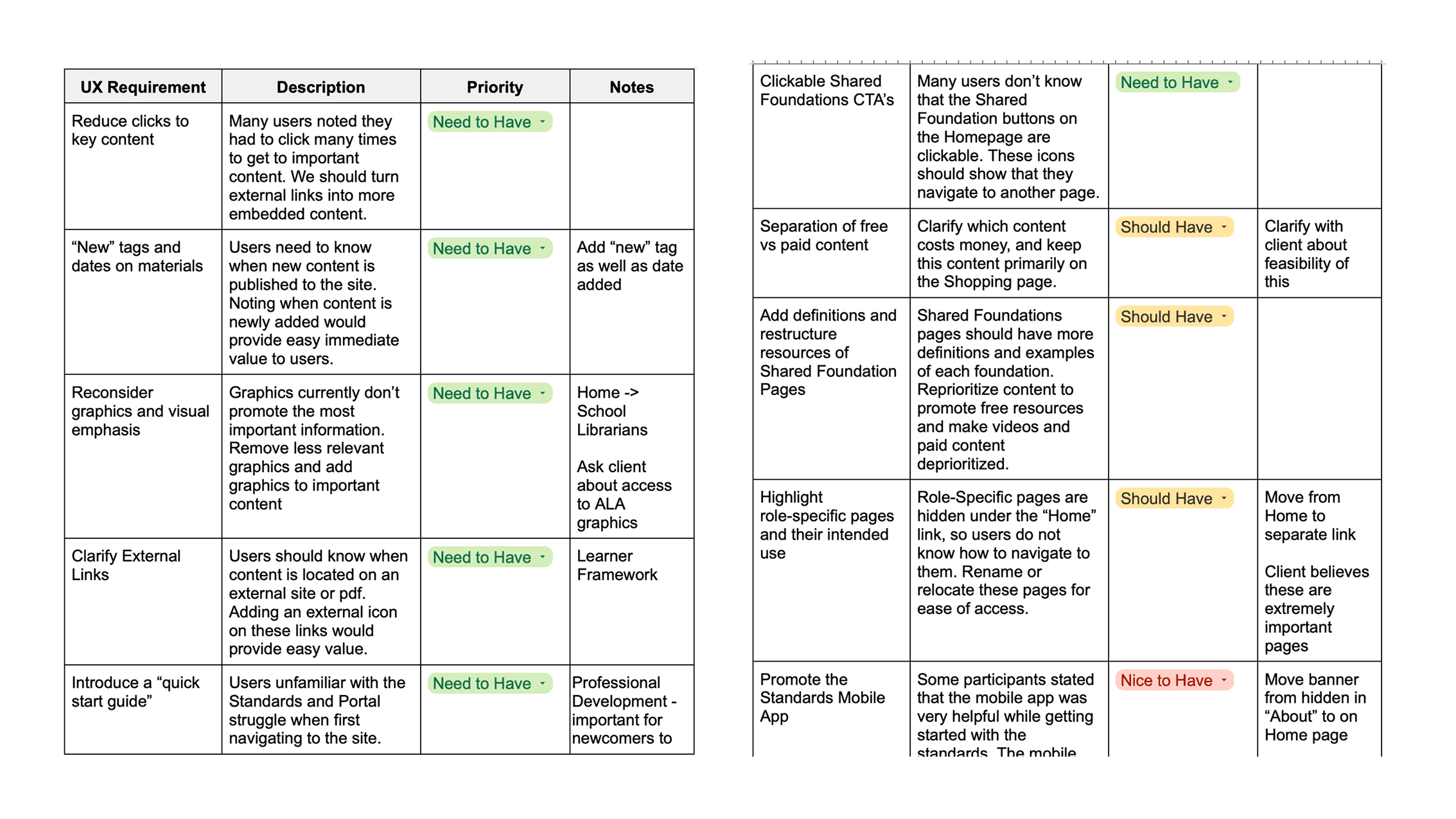
We use Google Sheet to translate our insight into clear UX requirements. We then applied priority labels — Need to Have, Should Have, Nice to Have — to distinguish essential fixes from future enhancements.
IDEATION
Brainstorm Session
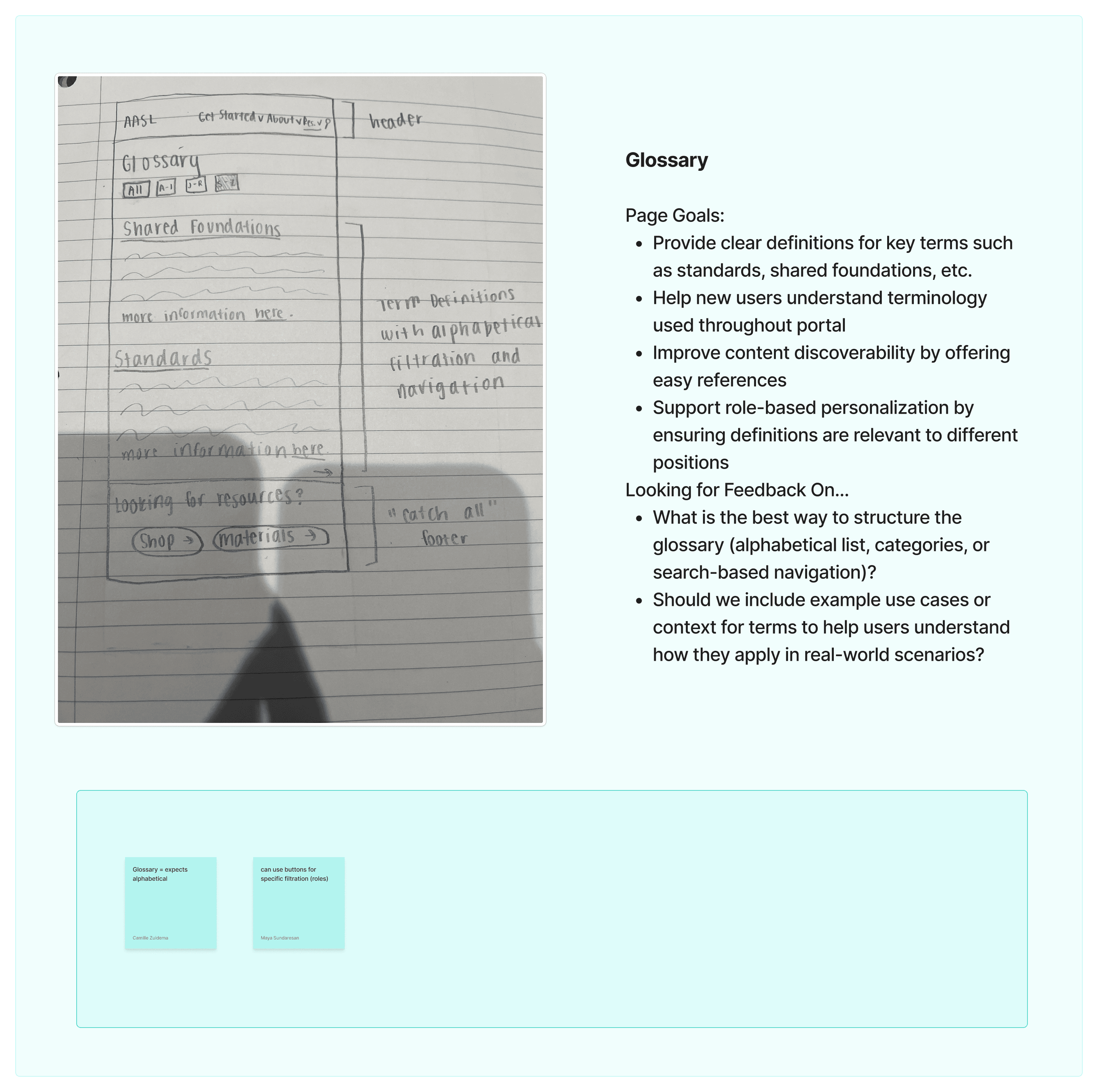
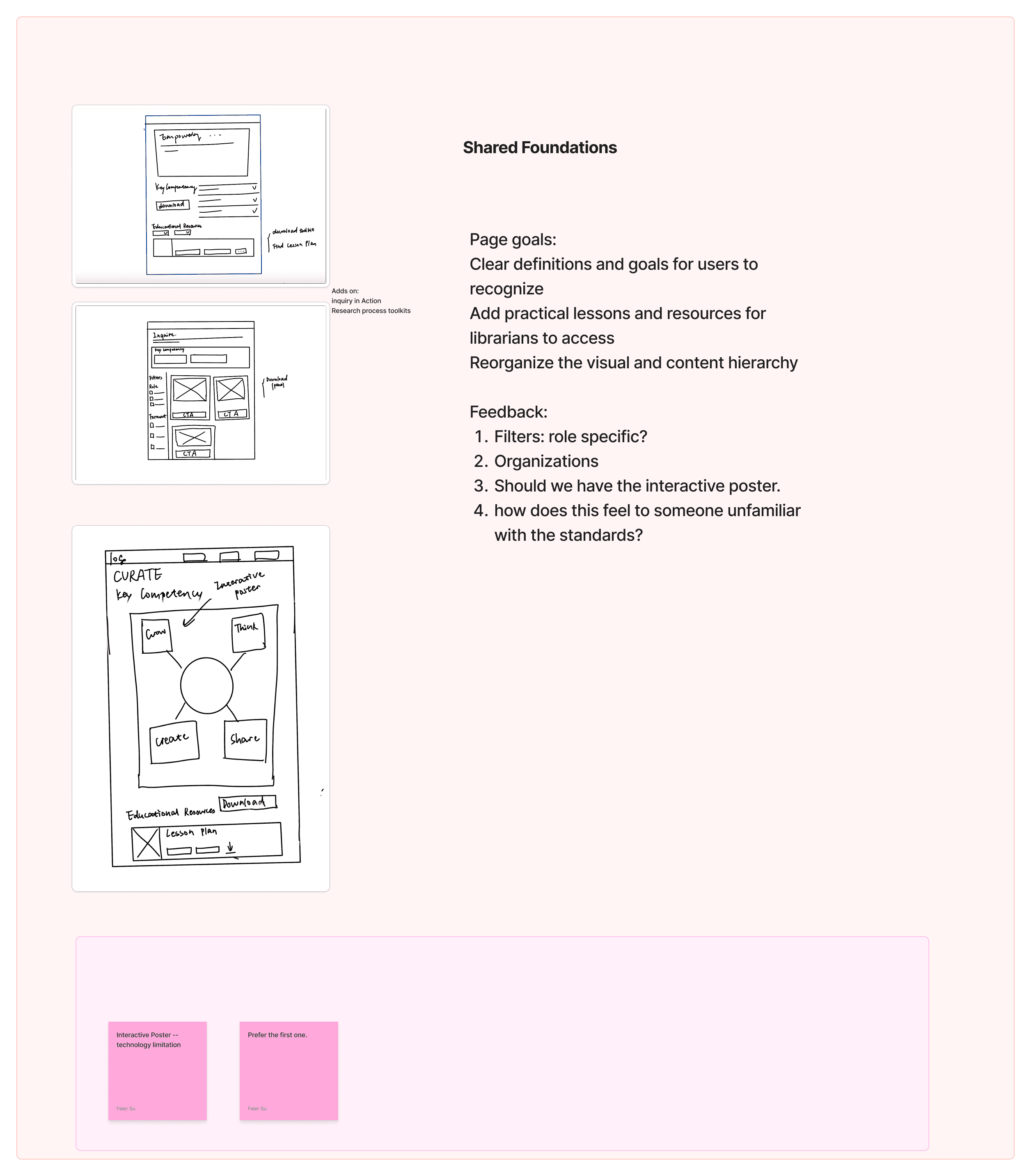
Our team of four collaborated in Figma Jam to turn prioritized design requirements into potential features. Each member first generated ideas individually, then we used stickers to vote on them. Features with the most votes were prioritized for design exploration. Finally, we discussed these prioritized ideas with our client to refine feasibility and alignment.
Mid-Fidelity

FINAL DESIGN
Design System
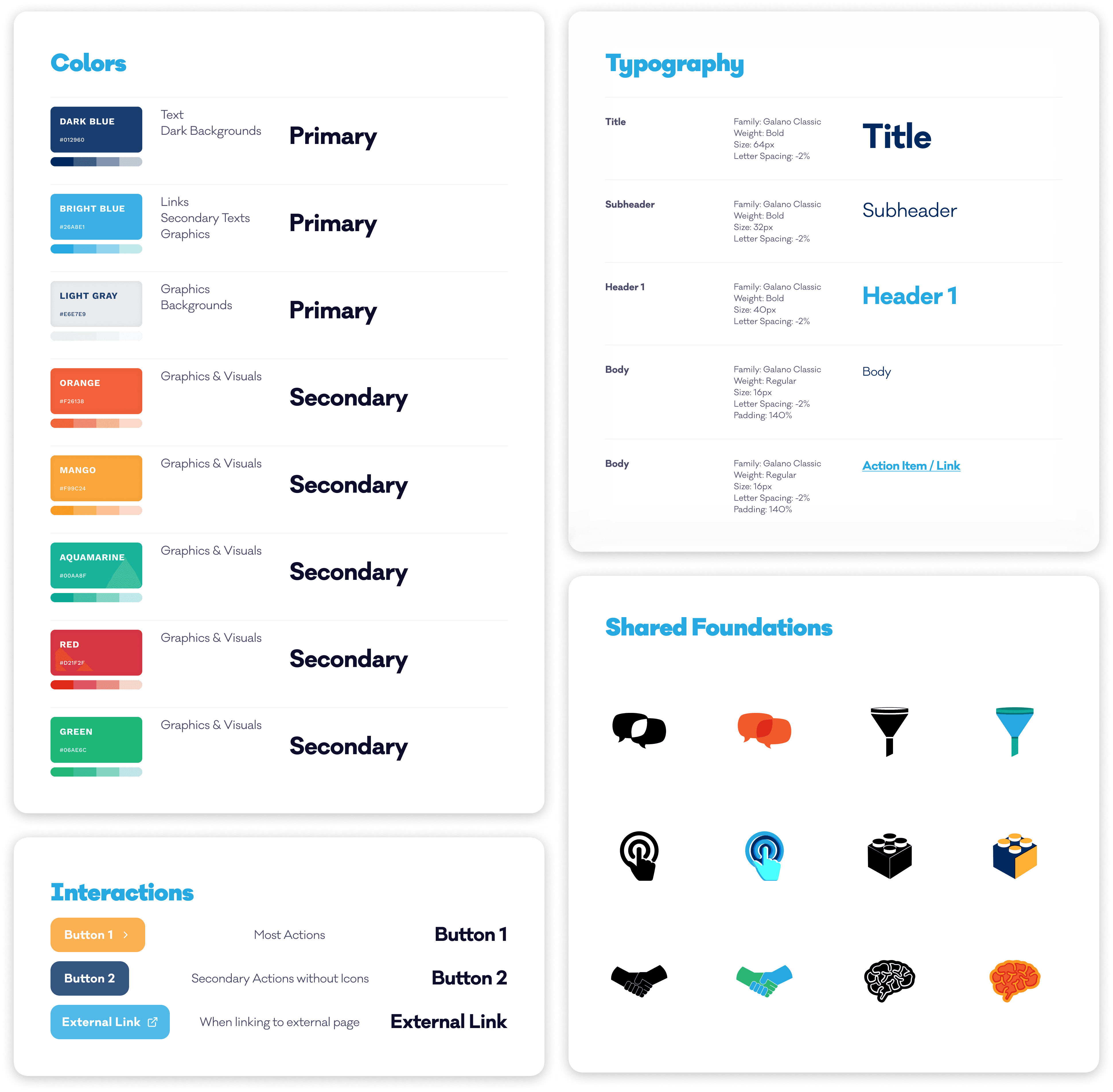

To align with AASL current design style, we remade the UI design toolkit to make sure the consistency.

FINAL DESIGN
Making it Great


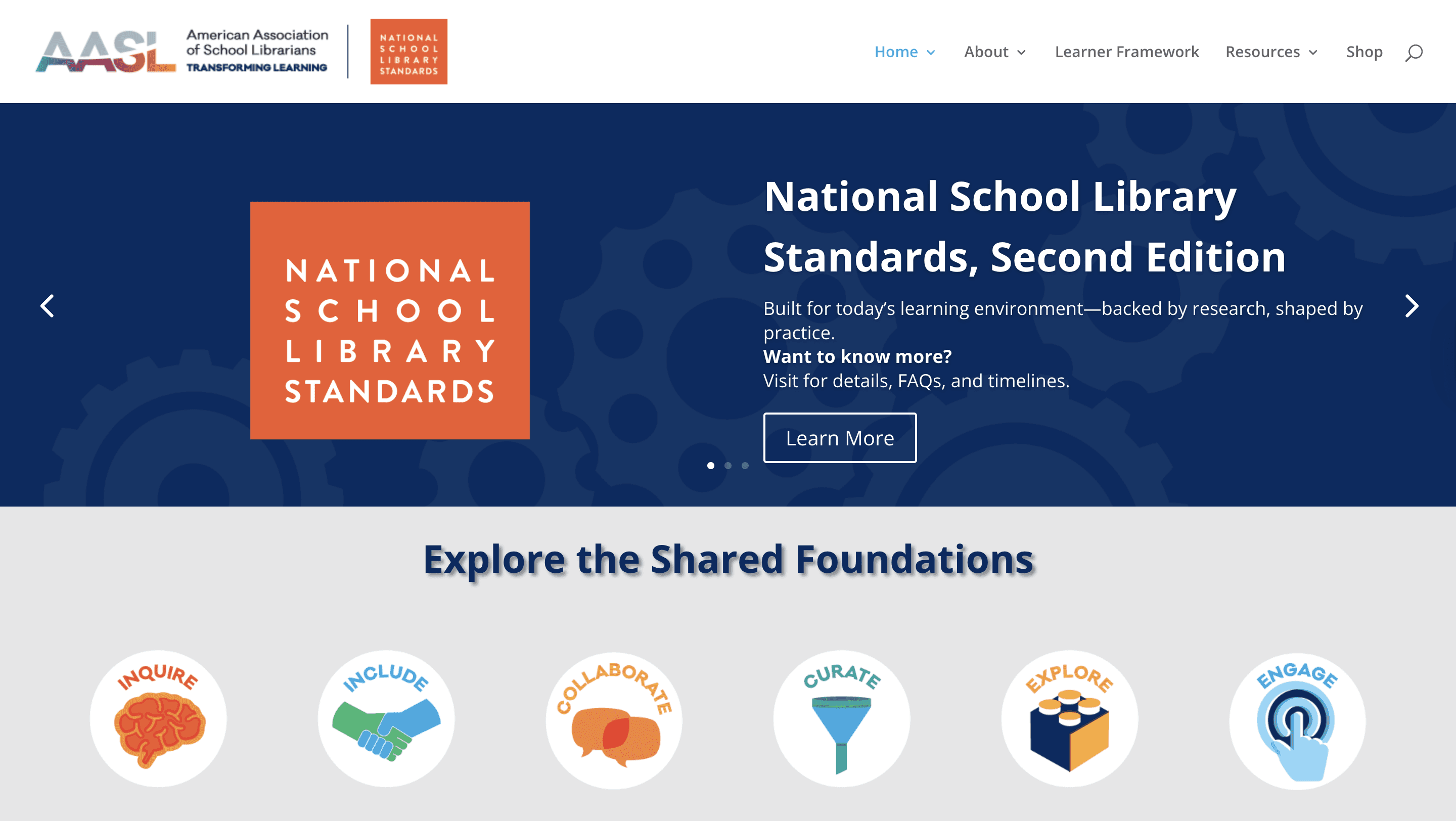
Homepage - Before
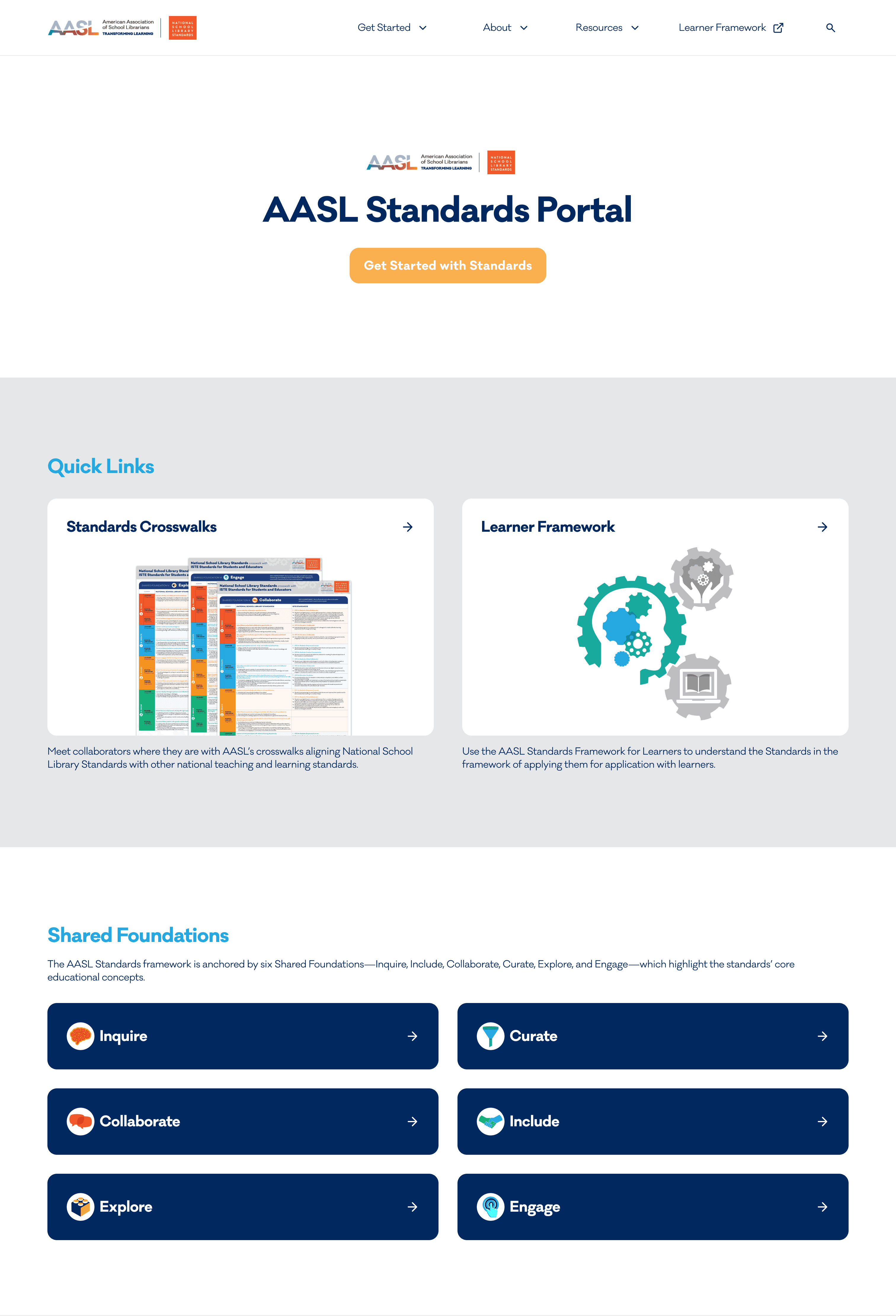
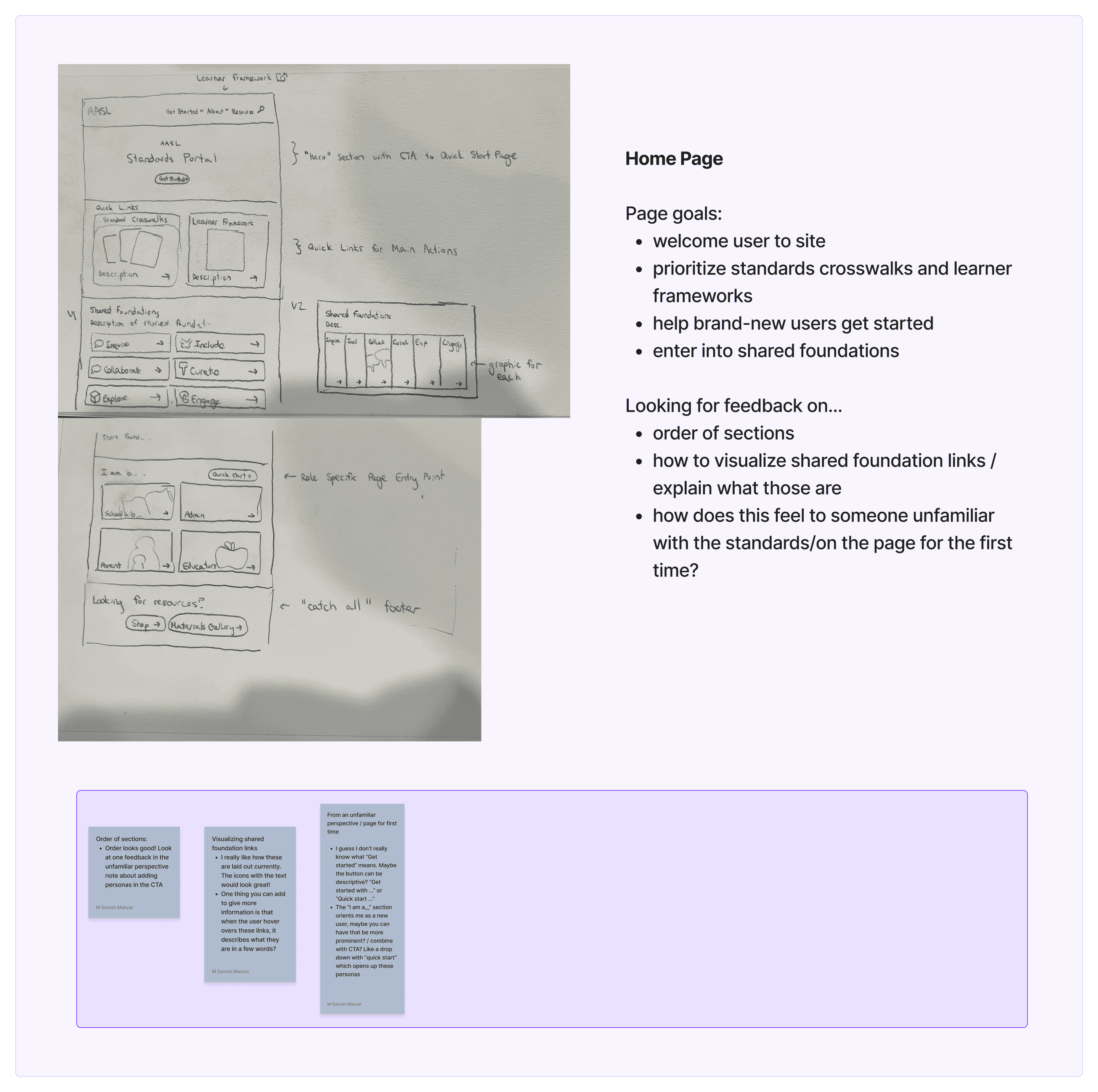
User unaware icons were clickable
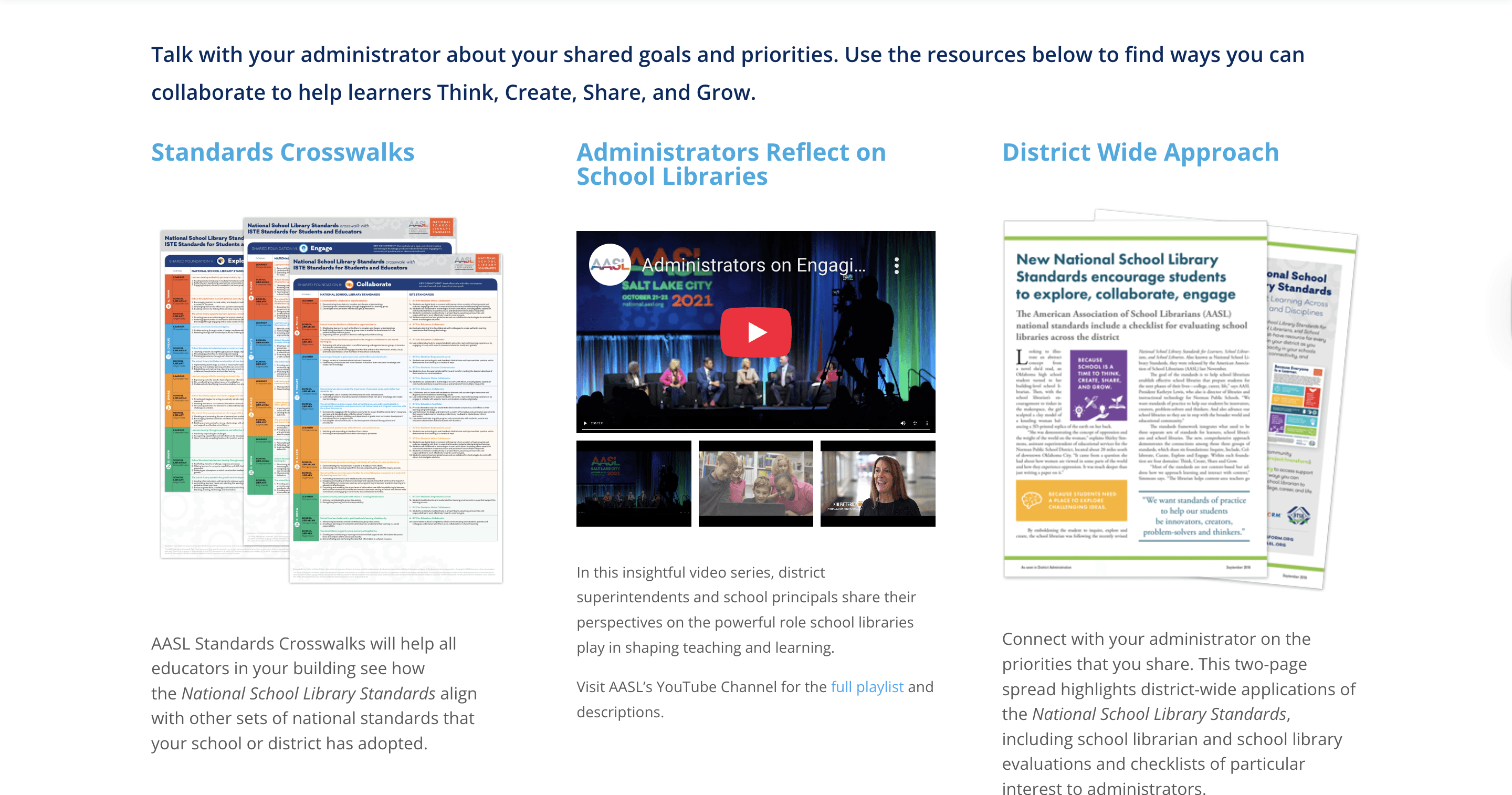
Key resources like Standards Crosswalk and Framework were buried

Homepage - After
Quick access to key resources
Intuitive CTA
Beginner friendly - brief explanation of each foundations


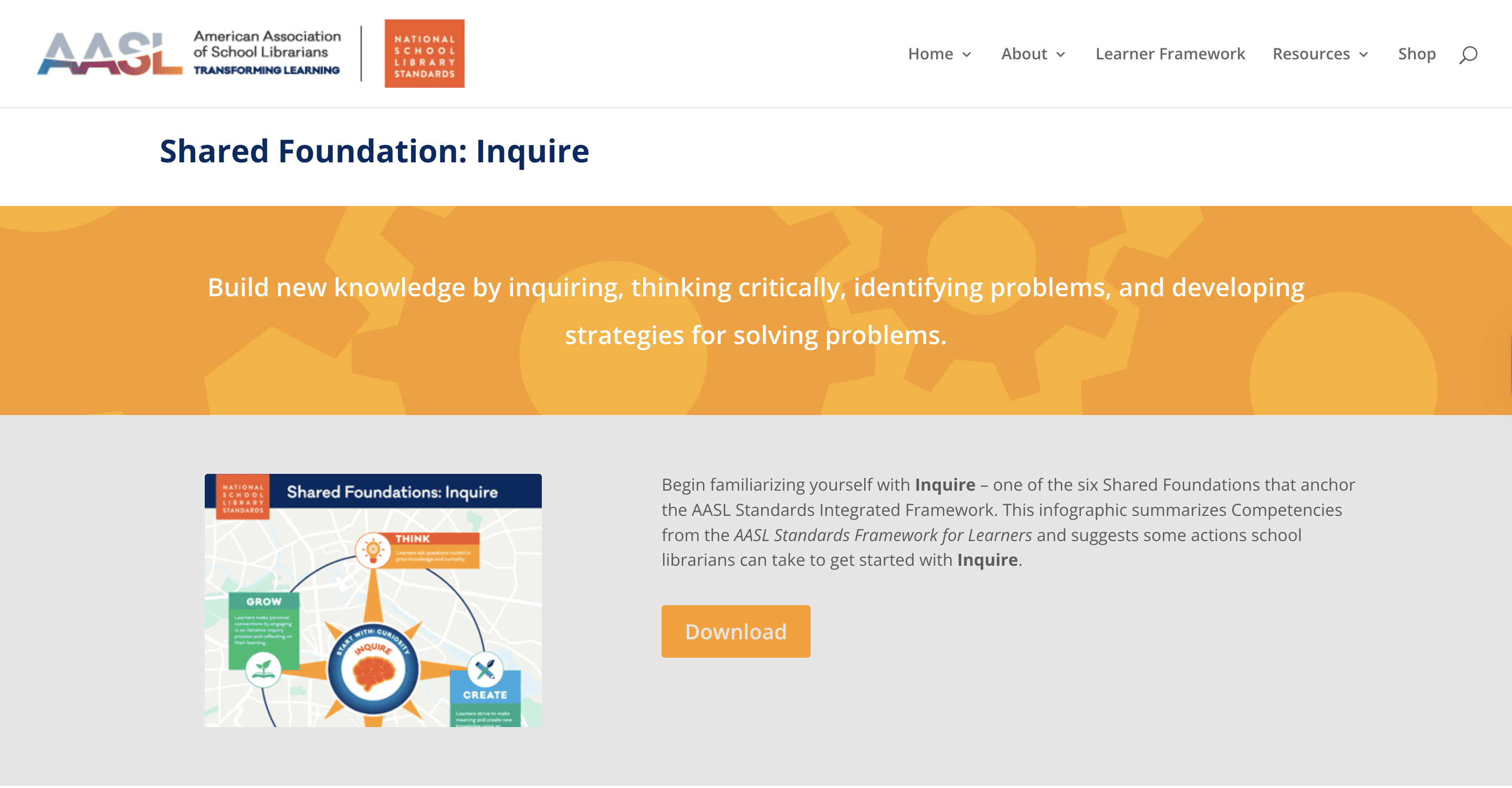
Shared Foundation - Before
Download” button led to a new tab with a PDF, requiring extra clicks.
Users expected instant download, causing confusion.
To view the next foundation, users had to navigate back manually, breaking flow.
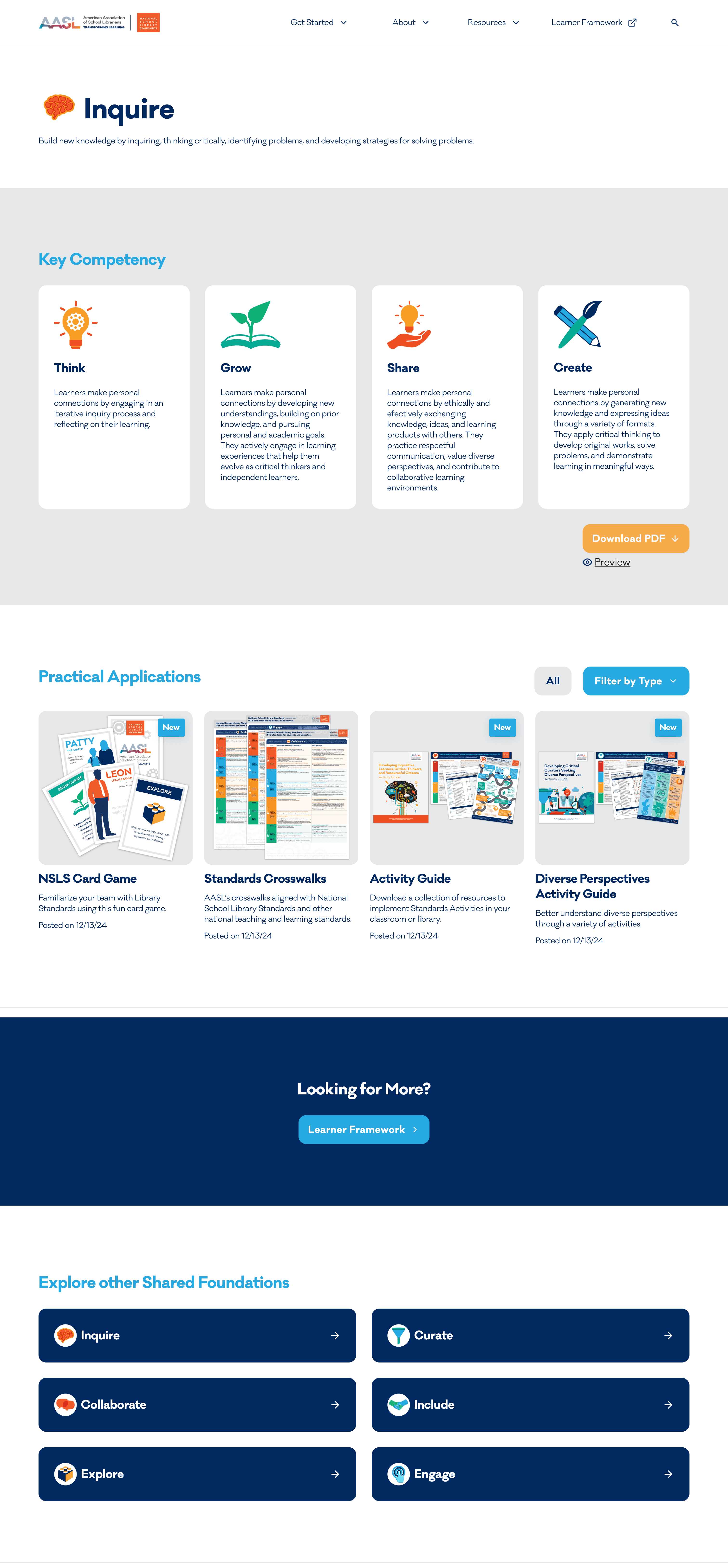
Shared Foundation - After
Summarized content for each foundation shown directly on the page
Pop up window for pdf preview→ view materials without leaving the page
Links to related resources for seamless navigation
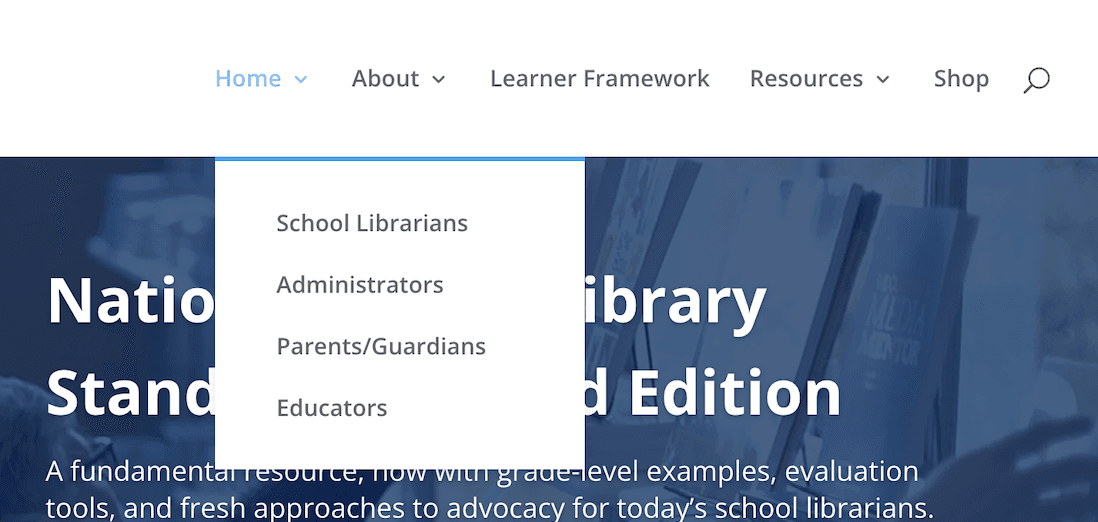
Navigation Bar - Before
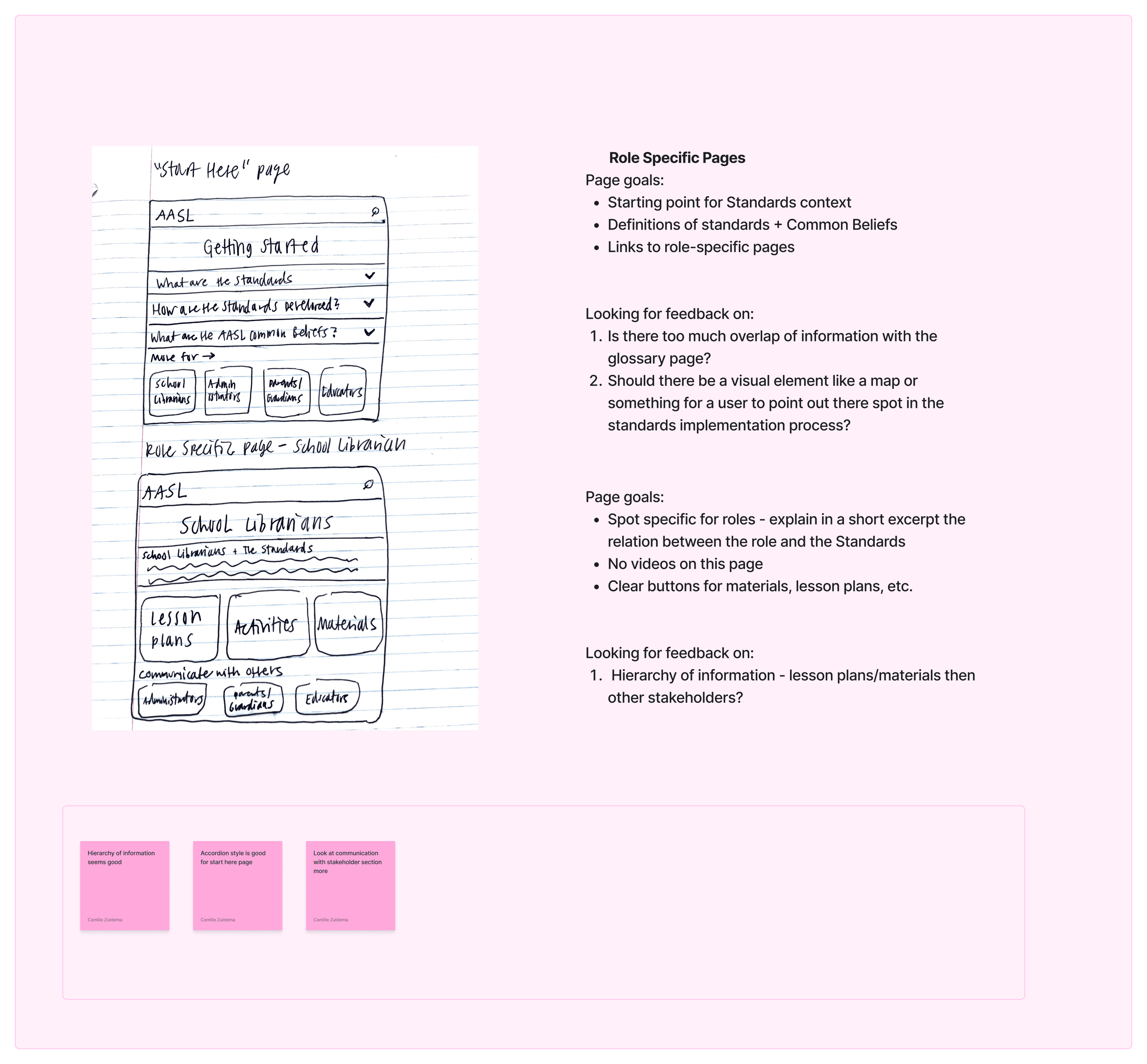
Role-specific pages hidden under Home, making them hard to find
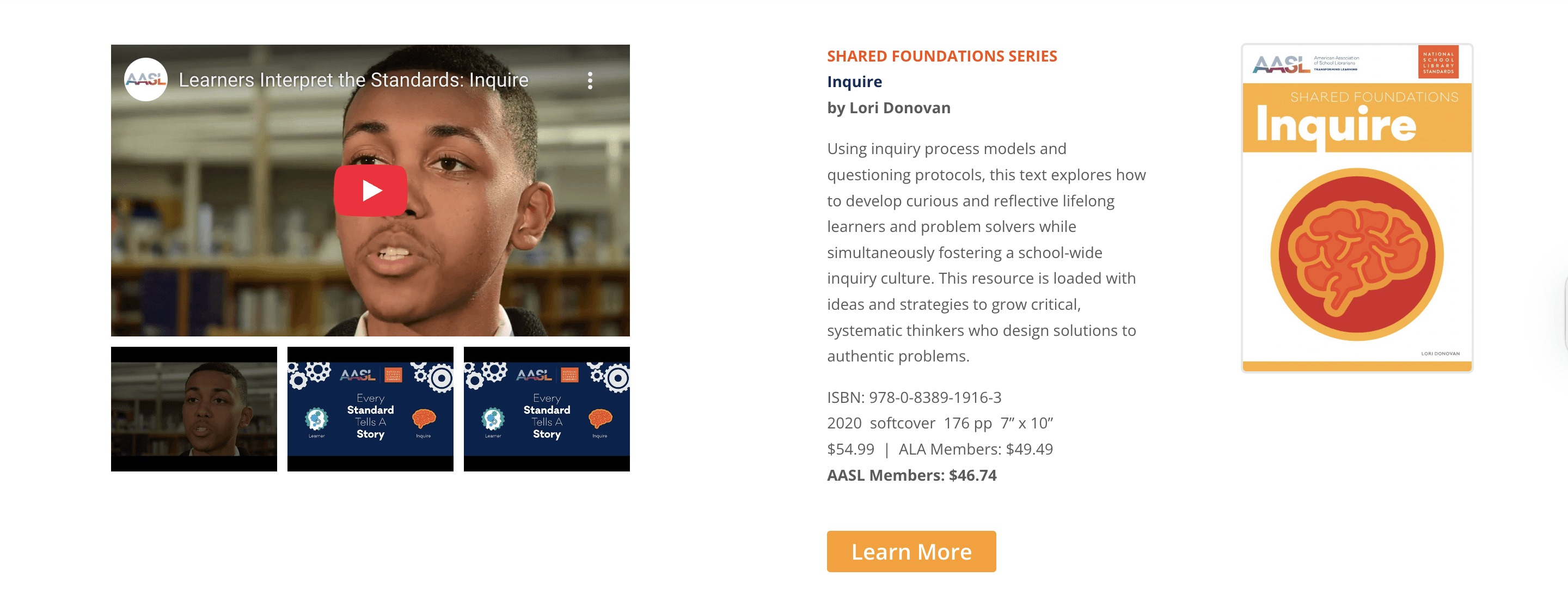
About and Resources menus were unstructured and unclear
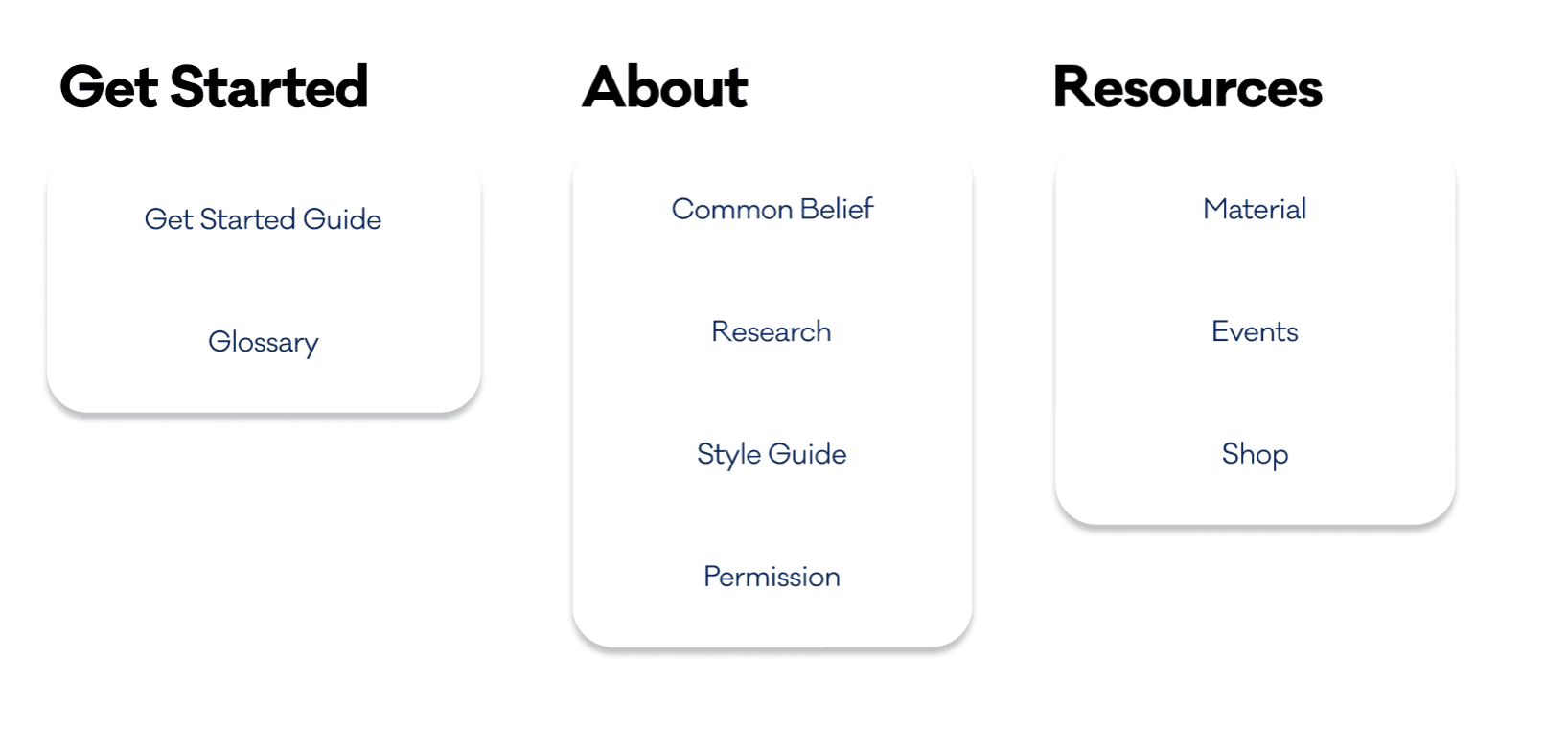

Navigation bar - After
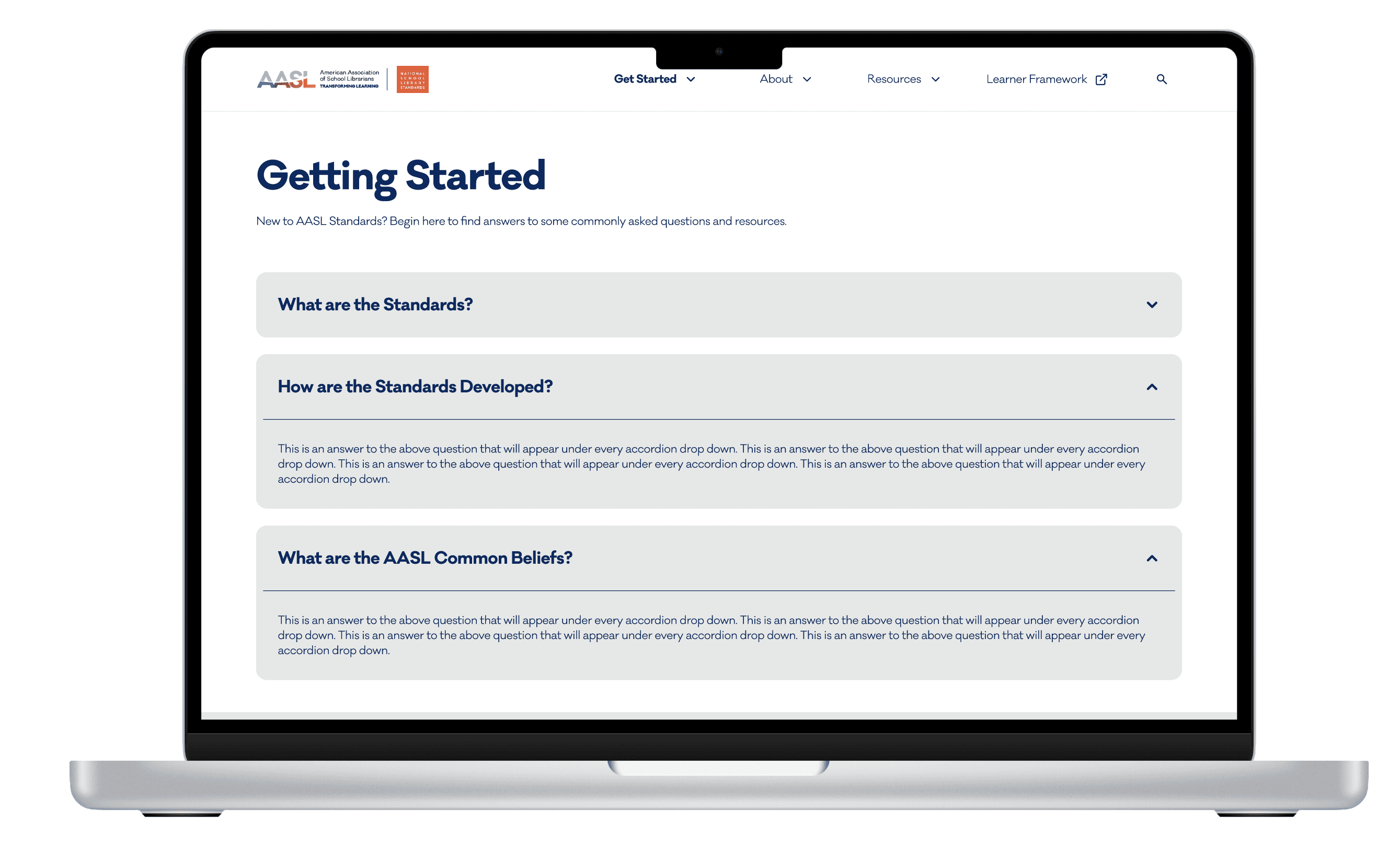
Improves onboarding with a clear Get Started path
Deprioritizes minor tasks (Shop moved under Resources)
Reduces clutter through streamlined menus
What's New?
Introduce Get Started Page
Why?
Aligns with client mission: Positions the site as a tool for librarians to educate and advocate for standards, not just for themselves but also for administrators, teachers, and parents.


What's New?
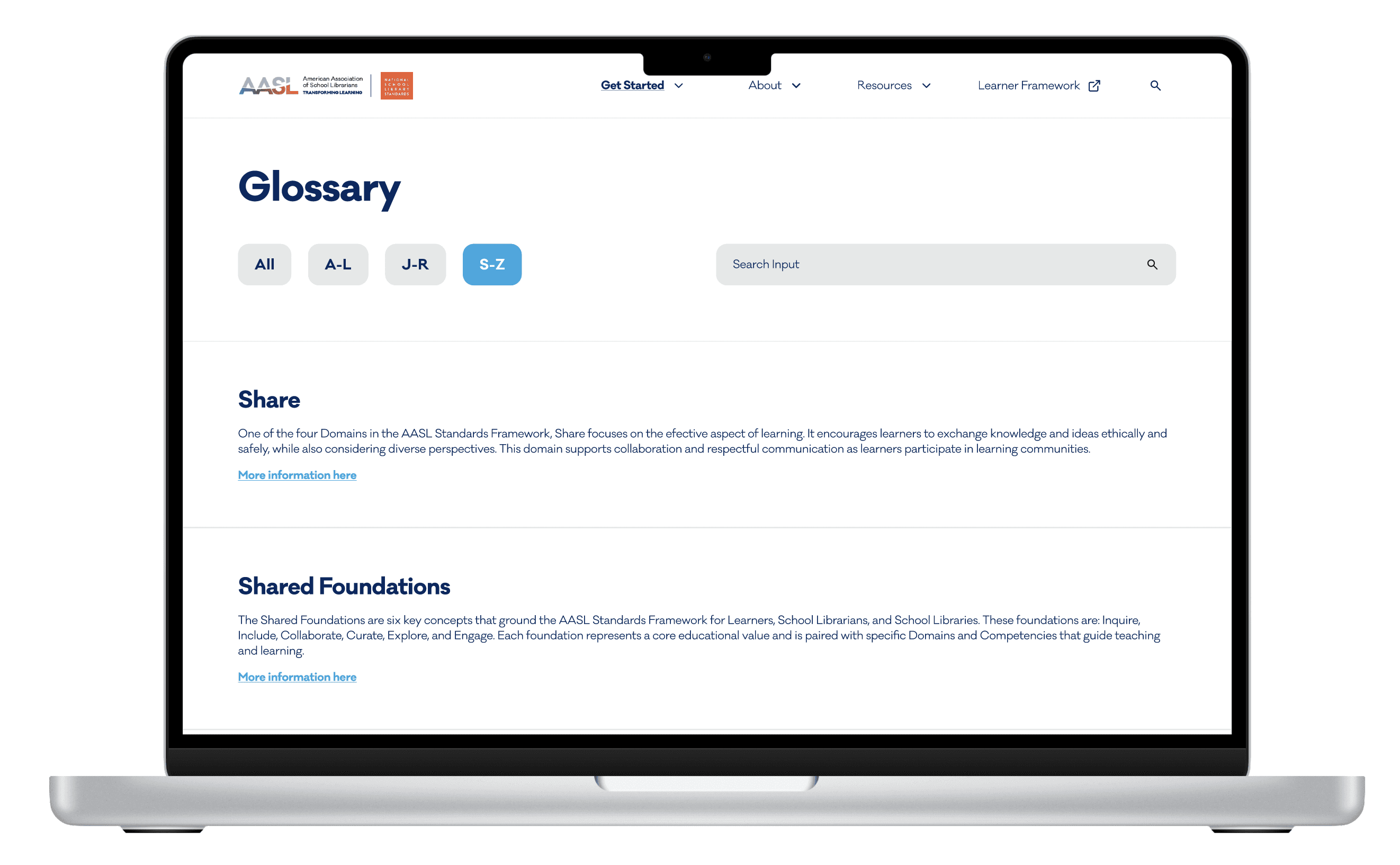
Introduce Glossary
Why?
Aims to make terminology easier to navigate. Since the portal functions like an educational site, many specialized terms were confusing for users. The Glossary supports quick lookups, links to related content, and improves overall resource findability.
FINAL DESIGN
Final Prototype
EVALUATION
Impact
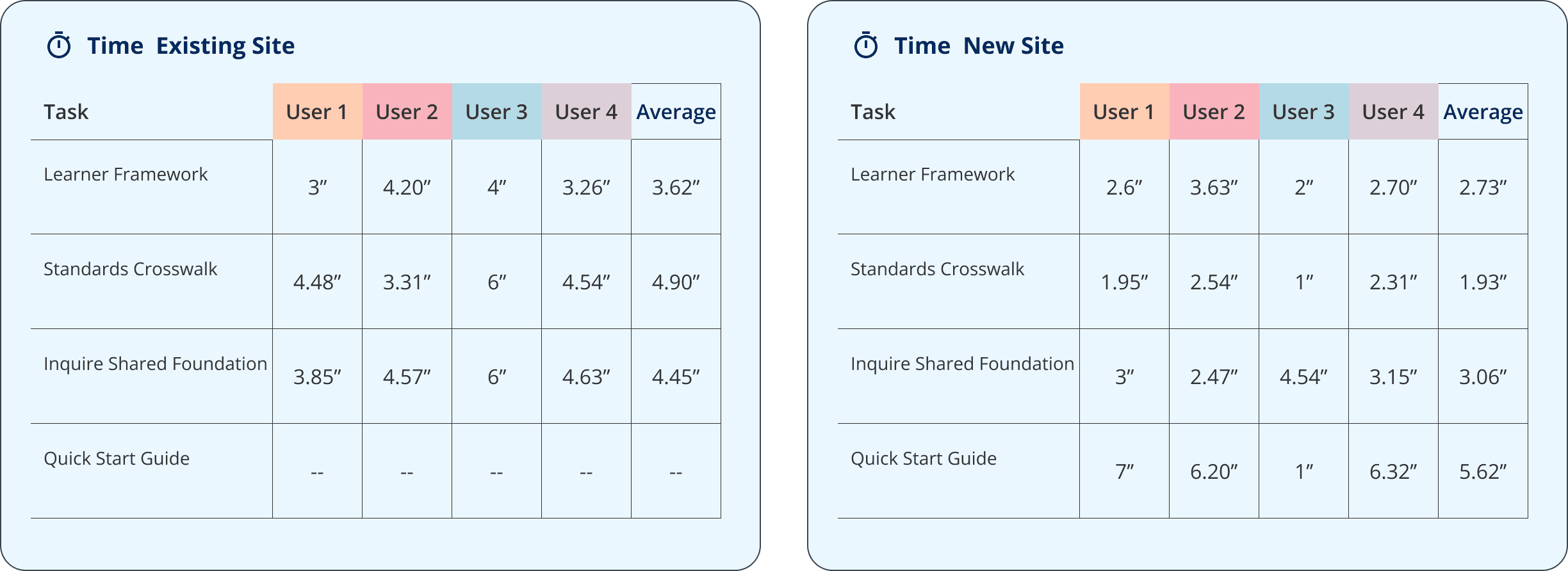
We conducted usability testing on the revised design (30–45 minutes per session), focusing on navigability, accessibility, and role-specificity. This allowed us to compare against the original portal and evaluate whether our redesign addressed the key pain points identified in the first round of testing.
Statistics

navigation efficiency
On average, users completed core tasks 38.8% faster than the original sites
Task Success Rate
Task success rate increased to an estimated ~98%
User satisfaction
95% Participants responded positively to the new interface, especially the “Quick Start Guide”
Ensures equitable access for all users, regardless of familiarity with Standards and levels of digital literacy.
Tailored content pathways for librarian, educator, and parent-specific use cases.
Improved page and site structure to increase content visibility and access.
EVALUATION
Reflection & Next Step
For this capstone project, the class structure emphasized research over design, so our main focus was understanding client needs and identifying the portal’s shortcomings. We were fortunate that our client helped recruit interview candidates, which strengthened our findings. Given time and client constraints, the final deliverable will be implemented in basic WordPress, so we created design templates for reference rather than redesigning the entire site.
IF I had more time, We would definitely…
Refine the UI’s visual design and conduct A/B testing with different versions to evaluate effectiveness.
Exploring a mobile version would also be a valuable future direction to expand accessibility and usability